About this video
What Is the Initial Layer Flow Test?
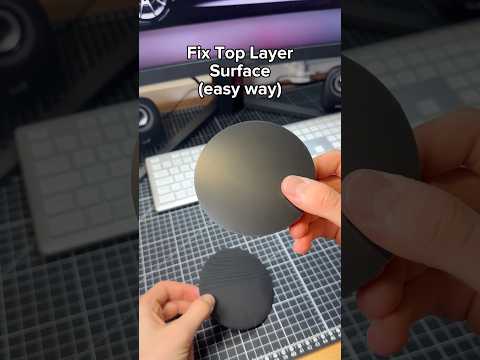
The initial layer flow test is a quick calibration print designed to help you dial in the exact extrusion amount needed for a flawless first layer. Holes, gaps, and under-extrusion on the bottom of your 3D prints are common problems that almost always trace back to incorrect first layer flow settings. Instead of guessing, this test gives you a visual, numbered reference to compare results side by side.
How to Run the Test on PrintPal
- Open PrintPal and search for "initial layer flow test" in the model library.
- Download the G-code or STL file for your printer and nozzle size.
- Print it on your 3D printer using your standard first layer speed, temperature, and Z-offset.
- Once the print is finished, inspect each numbered test square carefully.
Reading the Results
Look through the printed squares and identify the one that looks closest to ideal. A good result will show:
- No visible gaps, holes, or pinholes between lines
- Smooth, even extrusion across the full surface
- Proper squish against the print bed without over-compression
- Consistent line width from edge to edge
Note the number of that best-performing square — that's your optimal flow value.
Applying the Fix in Your Slicer
Open your slicer and navigate to the Quality settings panel. Look for the option labeled "initial layer flow ratio" and enter the number you recorded from the test. Save the profile and your next print will start with a perfectly calibrated first layer.
Why First Layer Flow Matters
The first layer behaves differently than upper layers because of bed adhesion, squish, and thermal differences. Even if your regular flow ratio is dialed in, the first layer often needs its own multiplier. Skipping this step is one of the top causes of print failures, warping, and poor bed adhesion.
Pro Tips for Best Results
- Re-run the test whenever you change filament brand, material, or nozzle size.
- Verify your Z-offset is correct before running the flow test.
- Always test on a clean print surface for accurate results.
- Run the test at the same bed and nozzle temperature you plan to print with.
Frequently Asked Questions
How often should I run the initial layer flow test?
Every time you switch filament type, change nozzles, or after major printer maintenance like a hotend swap.
Will this work for any filament?
Yes, the test is effective for PLA, PETG, ABS, TPU, and most common 3D printing materials.