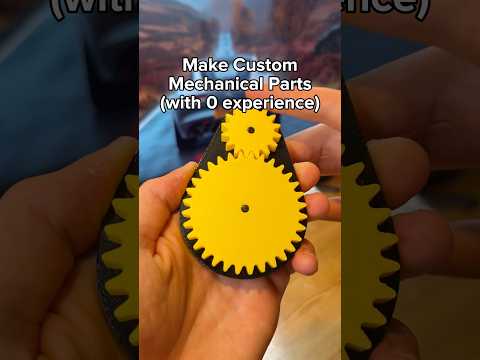
About this video
From Doodle to 3D Print in Minutes
If you can sketch an idea on paper, you can hold a physical version of it in your hand. PrintPal's sketch-to-3D preset removes the biggest barrier between a quick drawing and a finished print: 3D modeling. There is no CAD software to learn, no mesh to repair, and no slicer headaches to wrestle with before you see your idea come to life.
How the Sketch-to-3D Workflow Works
The process shown in the video is intentionally short so you can move from inspiration to print bed fast.
- Open PrintPal and navigate to the sketch-to-3D preset from the main menu.
- Snap or upload a photo of your drawing. Clear, well-lit photos with strong contrast between the lines and the paper produce the best results.
- Pick a quality setting. Lower settings generate faster for quick test prints, while higher settings capture finer line work and subtle curves.
- Wait for the model to generate. PrintPal's pipeline turns the 2D image into a printable mesh, automatically optimizing wall thickness so the object is sturdy enough to handle.
- Slice, print, and test. Download the file, drop it into your slicer, and send it to your printer.
Tips for the Best Sketch-to-3D Results
A few small choices upfront can dramatically improve the final print:
- Use a black marker on white paper to maximize contrast.
- Photograph your sketch straight-on in even lighting to avoid distortion.
- Keep your lines bold and connected so the generated mesh stays continuous.
- If you only need a flat relief, consider scaling the print small first to confirm proportions before committing to a full-size print.
Materials and Tools to Try
The preset produces a watertight mesh compatible with any consumer FDM or resin printer. PLA is the easiest starting point for testing, while PETG adds flex for functional parts, and resin captures the crispest surface detail for ornamental sketches.
Frequently Asked Questions
Do I need any 3D modeling experience?
No. The sketch-to-3D preset handles mesh generation, thickening, and export automatically.
What file format do I get?
PrintPal exports standard STL files that open in every major slicer including Cura, PrusaSlicer, and Bambu Studio.
Can I use a photo of a printed drawing or a digital sketch?
Yes. Any high-contrast 2D image works, whether it is a pencil doodle, an inked illustration, or a screenshot from a tablet app.
How long does generation take?
Most sketches process in under a minute on the default quality setting.
Ready to try it? Upload your first sketch and follow the link in PrintPal's bio to start printing.