About this video
How to Design Custom 3D Printed Building Bricks
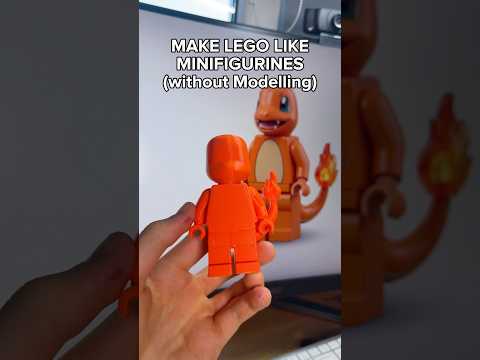
PrintPal's Brick Builder tool makes it simple to create your own custom 3D printed building bricks for any project. Whether you're building architectural models, custom toys, or creative sculptures, this free online tool handles the heavy lifting.
Getting Started
- Visit PrintPal.io and navigate to the Brick Builder tool
- Select your brick pieces from the available library
- Arrange them in the 3D viewer to design your desired structure
- Export your creation with one click
What You Get Upon Export
When you export your custom brick design, PrintPal generates:
- Individual 3D model files (ready for slicing)
- A step-by-step instruction manual for assembly
This means you can print your custom bricks and have a clear guide for putting your creation together.
Best Practices for Custom Brick Projects
- Choose consistent brick dimensions for easier assembly
- Use a reliable filament like PLA or PETG for durable results
- Ensure proper bed adhesion when printing multiple brick pieces
- Orient bricks strategically to minimize visible layer lines on connection points
Recommended Materials
- PLA filament: Easy to print, great for prototypes and display pieces
- PETG: More durable and slightly flexible, ideal for functional builds
- ASA: UV-resistant option for outdoor brick projects
Frequently Asked Questions
Can I customize brick colors?
Colors depend on your filament choice. PrintPal provides STL files, so you control the material and color.
Are the brick pieces compatible with real LEGO bricks?
PrintPal creates parametric brick designs. Compatibility depends on your chosen dimensions and settings.
Do I need design experience to use the Brick Builder?
No! The intuitive drag-and-drop interface works for beginners and experienced makers alike.
Why Use PrintPal's Brick Builder?
- Free online tool—no software downloads required
- Instant STL export for immediate 3D printing
- Detailed assembly instructions save time during building
- Fully customizable dimensions and arrangements
Start designing your custom 3D printed building bricks today at PrintPal.io!