About this video
Why Your 3D Printed Moving Parts Don't Fit
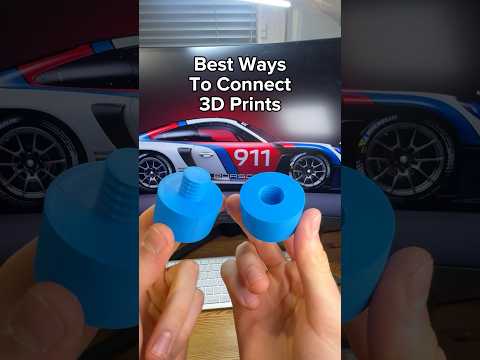
When you design assemblies with moving parts in CAD, you expect holes to print exactly the size you modeled. In practice, most FDM printers and even resin machines tend to "shrink" small holes and slots because of material flow, nozzle width, and slicer rounding. The result: shafts won't spin in bearings, gears grind against each other, and snap-fit lids refuse to close.
The One Setting: XY Contour Compensation
Most modern slicers (Cura, PrusaSlicer, OrcaSlicer, Bambu Studio) expose a setting called Horizontal Expansion or XY Size Compensation. By default it sits at 0 mm, meaning the slicer prints your outer and inner contours exactly as drawn. Setting it to a small negative value tells the printer to shrink the contour inward, which compensates for the over-extrusion that chokes holes shut.
- A value of -0.1 mm is a safe starting point for a standard 0.4 mm nozzle.
- A value of -0.2 mm works well for tight-tolerance assemblies or larger nozzle prints.
How to Apply the Fix
- Open your slicer and load the part.
- Navigate to the Quality or Shell settings panel.
- Locate XY Size Compensation (Cura) or Horizontal Expansion (PrusaSlicer / Bambu Studio).
- Set the value to -0.1 for general fits or -0.2 for moving parts.
- Slice and print a calibration cube with a known 5 mm hole to confirm clearance.
Pro Tips for Reliable 3D Printing Tolerance
- Always print a quick tolerance test before committing to a full batch.
- Pair horizontal expansion with hole-specific horizontal compensation when your slicer supports it.
- Adjust Z-seam and retraction to reduce blobbing that can close small features.
- For resin printing, use the same logic but smaller values (around -0.05 mm).
- Keep your printer calibrated: a worn nozzle or inconsistent extrusion will still cause problems regardless of slicer settings.
FAQ
Does this change my part's outer dimensions?
Yes, it shrinks the entire contour inward, so outer walls will be slightly smaller too. Use positive values to grow outer dimensions if external fit matters.
What's the difference between XY contour compensation and hole horizontal expansion?
Hole-specific compensation only affects internal features, leaving outer walls untouched — ideal when you need a snug inner fit but exact external size.